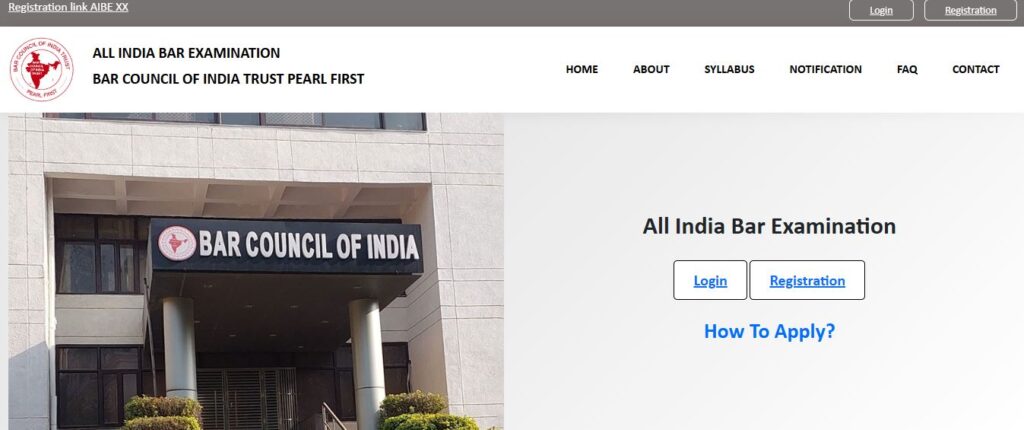
The long wait is over! The All India Bar Examination (AIBE) has officially released the AIBE 20 admit card, and thousands of candidates are now rushing to download their hall tickets. Due to heavy traffic on the website, many students are facing issues while trying to complete the AIBE admit card download process. In this detailed guide, you will learn how to access the official website, log in correctly, download your admit card even when the site is slow, and check your exam centre using the new QR-based method.
This blog is fully updated for AIBE admit card 2025, AIBE login, and BCl AIBE admit card download instructions.
Why AIBE Website Is Not Opening Today?
The official AIBE portal has become extremely busy because thousands of candidates are trying to log in at the same time. This high traffic is causing:
- Slow loading pages
- Login errors
- Captcha not loading
- Download button not responding
So yes — the issue is real. The heavy rush on the BCl AIBE admit card login page is the main reason the system is lagging.
The best solution is to wait 10–15 minutes and retry. If the website remains slow, try logging in again after 1–2 hours.
How to Download AIBE 20 Admit Card Step-by-Step
To make the process easy, here is a simple guide to complete your AIBE 20 admit card download smoothly.
Step 1: Visit the Official Website
Go to the AIBE official portal. If the site does not load on the first attempt, refresh after a minute.
Step 2: Open AIBE Login Page
Click on the AIBE login button. This page may take time to load due to the server load.
Step 3: Enter Login Credentials
You will need:
- Registration ID
- Password
- Captcha code
Sometimes the captcha takes time to appear. Wait patiently and refresh the page only when needed.
Step 4: Click on “Download Admit Card”
Once logged in, you will see the AIBE admit card download 2025 option. Click on it.
Step 5: Be Patient While Downloading
Due to slow server speed, the PDF may take longer than usual to download. Don’t refresh the page while the download is in progress.
New Change This Year – QR Code for Exam Centre
A major update in AIBE 20 admit card is that your exam centre is not printed directly on the hall ticket.
Instead, a QR code is provided.
How to Check Your Centre?
Simply:
- Open your phone camera or QR scanner app
- Scan the barcode printed on the admit card
- Your full centre name and address will appear
This is a new feature introduced for accuracy and security.
Important Details Mentioned in AIBE 20 Admit Card
After completing your AIBE 20 admit card download, your hall ticket will show:
- Candidate name
- Roll number
- Exam date: 30-11-2025
- Exam timing: 1:00 PM to 4:00 PM
- Reporting time: 11:30 AM
- Centre code
- QR code for centre details
- Exam instructions
Candidates must report by 11:30 AM, and no entry will be allowed after 1:15 PM.
Why You Should Not Panic About Slow Website
Many students are worried that the BCl AIBE admit card download option is not appearing.
But the site is legitimately overloaded, not faulty.
Your admit card is available — it just takes time to load.
Try:
- Switching to a different browser
- Clearing cache
- Using mobile hotspot instead of Wi-Fi
- Waiting for low-traffic hours (late night / early morning)
Tips for Students Facing Repeated Login Errors
If you are getting repeated errors on the BCl AIBE admit card login page, follow these tips:
- Use incognito mode
- Avoid refreshing repeatedly
- Wait for captcha to appear
- Try again after 30 minutes
- Avoid downloading between 5 PM – 8 PM (peak traffic hours)
Your AIBE admit card 2025 will definitely download — just stay patient.
Final Advice Before AIBE Exam Day
Once your AIBE admit card download 2025 is successful, check the following:
✔ Your name & details
✔ QR code scanning properly
✔ Exam date & time
✔ Reporting time
✔ Allowed materials
✔ Location of exam centre
Reach your centre at least one hour early to avoid last-minute issues.
Conclusion
The AIBE 20 admit card is officially available now, and students can complete their AIBE 20 admit card download through the official website. Even though the website is slow due to heavy traffic, all candidates will eventually be able to access their hall tickets.
Stay patient, keep trying at intervals, and ensure you are fully prepared for the exam.