Instagram Repost Feature Explained
Instagram keeps bringing new features to improve user experience, and one of the latest additions is the Repost feature. Many users still don’t know what Instagram Repost is, how to use it, what its benefits are, and how to remove it if done by mistake.
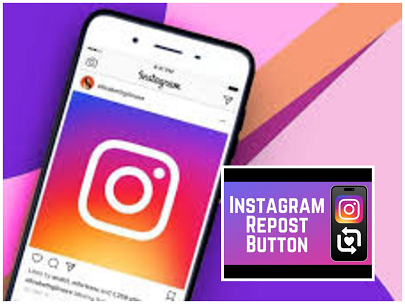
What is Instagram Repost?
Instagram Repost is a feature that allows you to share someone else’s post or reel directly to your profile permanently. Earlier, you could only share content to stories, which disappeared after 24 hours. But with the Repost feature, the content stays on your profile under a separate “Reposts” tab.
How to Use Instagram Repost – Step-by-Step Guide
Using this feature is very simple. Just follow these steps:
✔ Step 1: Open Instagram App
Open the Instagram app and refresh the home feed once.
✔ Step 2: Choose Any Post or Reel
Scroll and find any post or reel you want to repost.
You will see:
- Like button
- Comments button
- A new Repost button (Reshare icon)
This icon appears on every post and reel.
✔ Step 3: Tap on the Repost Button
Click on the Repost option.
You will see how many people have already reposted it—e.g., 158 reposts.
Once you tap it, it becomes 159 reposts.
You can also add a mention or emoji if you want.
✔ Step 4: Notification Goes to Your Followers
Yes, when you repost something for the first time, your followers receive a notification.
So be careful—don’t repost unnecessary or embarrassing reels!
✔ Step 5: Check Reposted Content in Your Profile
Go to your profile → Refresh →
You will see a new tab called Reposts.
All your reposted reels and posts will appear here permanently.
It works like your own curated gallery of favorite content.
✔ Step 6: Remove a Repost (If Done by Mistake)
If you repost something by accident, follow these steps:
- Go to your Profile
- Open the Reposts tab
- Select the post or reel
- Tap the Repost button again
- Refresh the page
Now the repost will be removed instantly.
Why You Should Use Instagram Repost – Key Benefits
Instagram officially announced this feature and listed several benefits.
✔ 1. Reposts Stay Forever
Unlike stories that vanish in 24 hours, reposted content stays in your profile until you remove it.
✔ 2. Save Your Favorite Content Publicly
If you love a motivational post, a celebrity update, or educational content, you can save it on your profile as a highlight.
✔ 3. Your Followers Can See What You Like
Reposts give your followers an idea of your interests, personality, and preferences.
It increases engagement and trust.
✔ 4. Great for Creators
If someone reposts your reel, it shows on their profile.
This means more profile visits → more reach → more followers → potentially viral content.
Creators get a huge boost because reposts act like free promotions.
✔ 5. Easy Framework for Discovering New Content
Users can explore your repost tab to discover trending or useful content.
It builds a small community of shared interests.
Possible Disadvantages of Instagram Repost
Just like benefits, there are some risks too.
❌ 1. Accidental Reposts
While scrolling reels, many users mistakenly tap the repost button.
Such content then shows publicly on your profile, which can be embarrassing.
❌ 2. Beginners May Get Confused
People shifting from Facebook to Instagram may not understand the feature.
They might unintentionally repost inappropriate content.
❌ 3. Notification to All Followers
If you repost something silly or random, it notifies your followers.
It can affect your image or online impression.
How to Avoid Accidental Reposts
Here are some simple tips:
- Don’t tap randomly while scrolling.
- Keep finger away from Reshare button area.
- Always double-check the Reposts tab.
- Remove unwanted reposts immediately.
Small awareness can save big embarrassment!
Who Should Use Instagram Repost?
This feature is useful for:
✔ Creators
✔ Business pages
✔ Influencers
✔ Motivational page admins
✔ Meme pages
✔ Regular users who want to build a content theme
Anyone who wants to share and display favorite posts in a neat, organized way can use it.