Instagram Selfie Verification: Simple Guide to Secure Your Account
Instagram has introduced a brand-new security feature that can save your account even if you forget your password or someone tries to hack it. This feature is called Selfie Verification, and it helps you recover your Instagram account safely. Many users don’t know about this feature yet, so here is your easy.
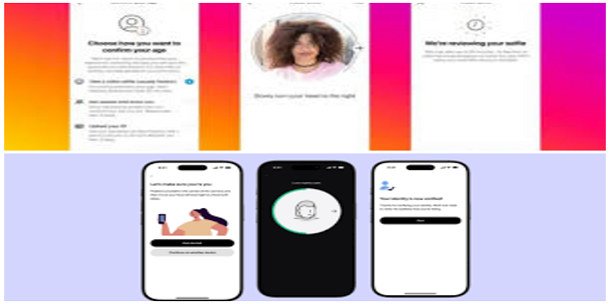
What Is Instagram Selfie Verification?
Selfie Verification is a new Instagram security tool. Using this feature, Instagram confirms that you are the real owner of the account by matching your face with your earlier saved selfie.
If you ever lose your account, forget your password, or someone hacks your account, this feature will help you recover it quickly. It’s one of the strongest security updates Instagram has added in 2025.
Why Is This Feature Important?
Here’s why every user should activate Selfie Verification:
- ✔ Helps recover your account if you forget your password
- ✔ Protects your account from hackers
- ✔ Confirms your identity using your face
- ✔ Quick, easy and highly secure
- ✔ Works even if you change phone or SIM
This is one of the best ways to keep your account safe without needing any complex process.
Where To Find This Feature
Follow these simple steps to find and activate Selfie Verification:
Step 1: Open Your Instagram App
Open Instagram on your phone. Make sure the app is updated to the latest version. Older versions may not show this feature.
Step 2: Go to Menu (Three Lines)
Tap on the three-line (☰) menu located on the right-top corner of your profile page.
Step 3: Click on “Account Center”
Inside the menu, select Account Center.
This is where all your security settings are stored.
Step 4: Open “Password & Security”
Now select Password and Security.
Here, Instagram shows many features like two-factor authentication, login alerts, and now Selfie Verification.
Step 5: Tap on “Selfie Verification”
You will see a new option named Verification Selfie or Selfie Verification.
Tap on it to start the setup.
How To Complete the Selfie Verification?
Once you enter the Selfie Verification section, follow these steps:
Step 6: Confirm Your Instagram Account
A list of connected accounts may appear. Choose the Instagram account you want to secure.
Step 7: Enter the OTP (One-Time Password)
Instagram will send a verification code to your registered email.
Just enter the OTP and move forward.
Step 8: Take Your Selfie
This is the most important step. Instagram will ask you to take a selfie.
Keep these tips in mind:
- Your eyes must be completely open
- Make sure your face is clearly visible
- Use good lighting
- Keep your background simple
- Hold your phone steady
Step 9: Follow Directions (Left, Right, Up)
Instagram may ask you to:
- Turn your face left
- Turn your face right
- Look up or slightly down
These angles help Instagram confirm that it’s really you.
Step 10: Verification Complete!
Once you complete all the steps, Instagram will verify your identity.
Your account is now more secure than ever.
How To Delete or Update Your Verification Selfie?
Instagram also gives you full control over your verification data.
- If you want to delete your old verification selfie → You can delete it
- If your face changes in the future (weight change, beard growth, aging, etc.) → You can update the selfie anytime
- Instagram also shows the last time you submitted your verification selfie
This makes the feature flexible and user-friendly.
Final
Instagram’s new Selfie Verification feature is a powerful security update. It protects your account using your own face, ensuring that no hacker or unknown person can access your profile. With easy steps and simple instructions, anyone can activate this feature within a few minutes.